LANGUAGE
 SEARCH


 Sign in
 Hello,


Review Process
Once Aflac receives the required documents, the claim manager will review them to determine if they are complete and sufficient. If any document is missing or if a document is missing important information, the claim manager will notify you what specifically is missing.
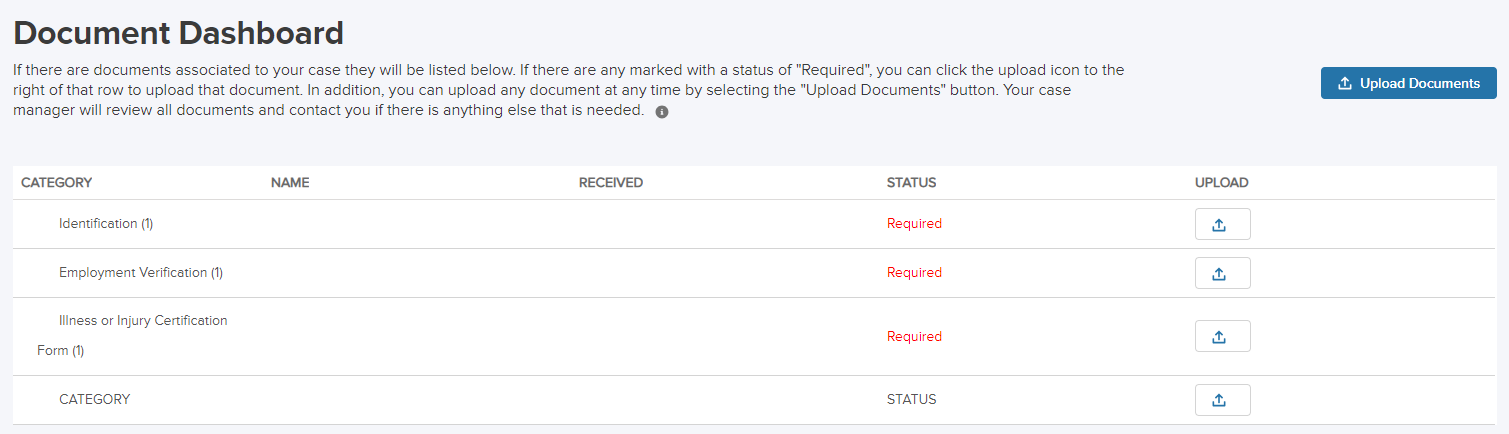
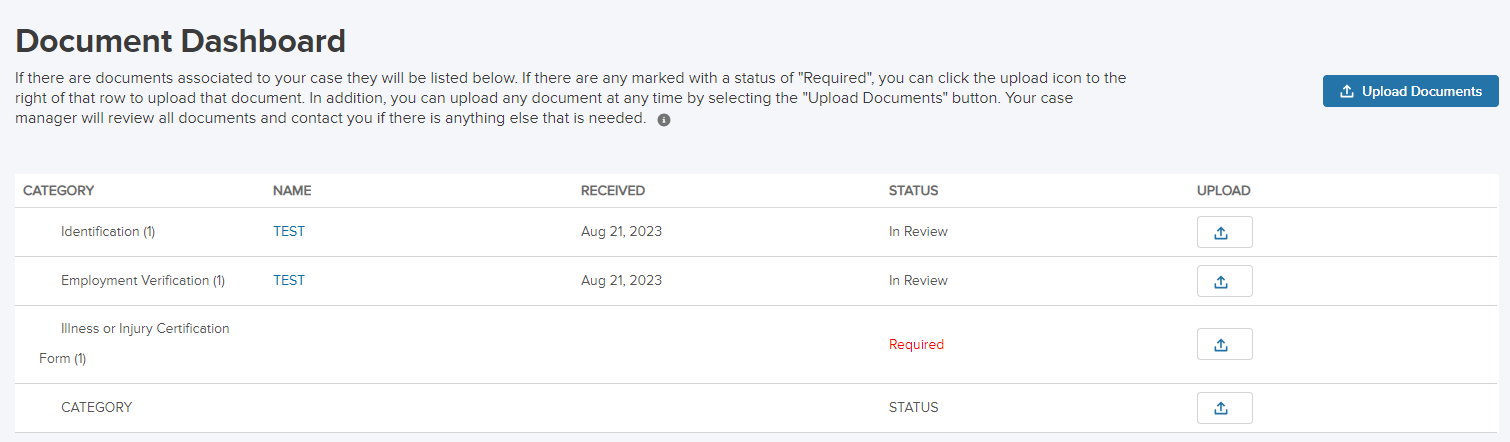
You can check on the status of this document review by going to the claim portal and looking at the document dashboard, which shows the following information:
- What documents are required for your particular type of claim
- Whether each document has been received, is being reviewed, is marked complete or if something is missing
- If the claim manager determines that one or more of your documents is incomplete, a description of what is missing
You may also check the status of your claim using the automated phone system by calling 877-499-8606. Using the system, you can hear the status of your claim and recent payments. You may also add time to an existing intermittent claim or report your return to work date.
The following is an example of how the dashboard shows the document review status of a hypothetical bonding claim:
Once all of your documents are reviewed, the claim manager will either approve or deny your claim.